Creative Business Tech Stack 2026: Every Tool I Actually Use

Learn more
I'm Angela
A bit of a unicorn: 18+ years of left brain analytics and right brain creativity, now channeled into websites and branding for creative entrepreneurs. My passion is helping women-owned businesses grow, without burning out and without having to choose between family and business.
INSTAGRAM
FACEBOOK

You open a new tab to research one thing. Four hours later you have twelve tabs open, three free trials started, and a Google Doc titled “tools to look into” that you will never read again.
If that sounds familiar, you are not behind, and you are not bad at tech. There are just too many options, and almost none of the advice tells you what to pick when you are one person running the whole thing.
So here is my actual creative business tech stack for 2026. Every tool I pay for, what it does, and whether I would buy it again. After 25 years in marketing and building websites for service-based women, I have tried most of these platforms and quietly abandoned about half of them.
No filler. Just the seven tools that are still standing.
Why Your Creative Business Tech Stack Matters More Than You Think
The goal is not more tools. It is fewer tools that actually talk to each other.
Every platform you add is another login, another monthly charge, another thing to learn, and another place your client information can get stranded. I have watched business owners pay for four tools that do the same job because they never canceled the first three.
Think of it like a kitchen. You do not need every gadget on the shelf. You need a good knife, a pan that heats evenly, and a place to put things down. Everything else is clutter you have to clean around.
A lean stack you actually use beats a fancy stack you are still learning.
Businesses that feel calm to run aren’t running twenty apps. They run six or seven good ones, connected properly, and leave the rest alone.
Here is what mine looks like.
The Website: Showit
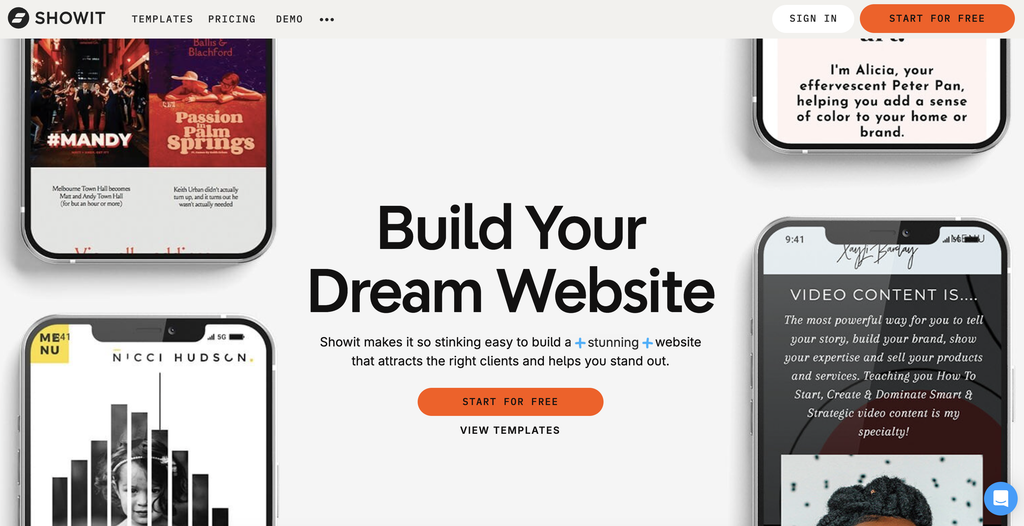
Showit is the foundation of my entire business, and it is what I build every client website and template on.
It is a drag-and-drop website builder that sits on top of WordPress, which is a bigger deal than it sounds. The front end gives you total design freedom, so you can put any element exactly where you want it. The back end gives you WordPress blogging and SEO, which is what actually gets you found on Google and in AI.
The part I love most is that you design your desktop and mobile layouts separately. No more building a beautiful site and then watching it collapse into a scrambled mess on a phone.
I spent years building client sites in WordPress, and I got tired of fighting it. The design was always limited, things never lined up the way I wanted, and the real problem showed up after launch. Clients would log into the backend, get completely overwhelmed, and never touch it again.
So the site would just sit there. A pretty, expensive business card nobody was using, going stale month after month.
Showit fixed that. The site can be exactly as beautiful as you want it, and it is genuinely easy for a client to update on their own. A website you are too intimidated to update is a website that stops working for you.
You still get the WordPress blog behind it, which is the best there is for SEO and actually ranking. Best of both worlds, and I have not looked back.
All of my templates are built using Showit, which means I know it inside and out. If you want to try it, you can get 30 days free through our link, no credit card required.
Email Marketing: Flodesk
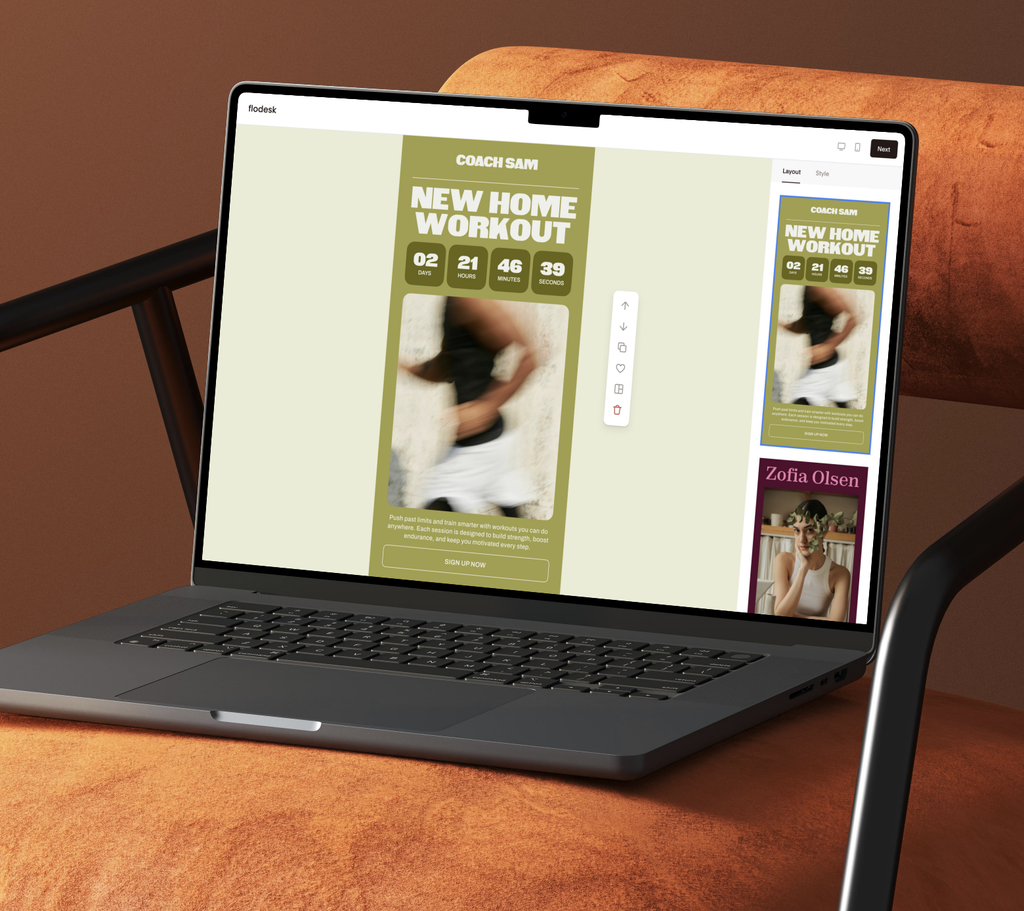
Flodesk is where my list lives, and it is the tool I recommend most often to beginners.
Two reasons. First, the emails are genuinely beautiful without any design skill required, which matters when your brand is the product. Second, it is easy on the eyes and easy on my brain. I open the dashboard and I am not staring at forty settings I do not understand, which is exactly what you want when email is the thing you keep putting off.
Here is everything it runs for me. My weekly newsletter. My welcome sequence, so when someone grabs a freebie they get delivered into a real relationship instead of a one-off download. All of my workshop reminders, which I build out before the workshop so the entire sequence goes without me touching it.
The part that makes the biggest difference is segmenting. I can group my list by what people are actually interested in, so I am not blasting the same email to everyone and hoping some of it lands. The right message goes to the right people at the right time, and nobody gets spammed with something they never asked about.
Building those workflows and segments is simple enough that I actually do it, instead of adding it to a someday list.
If you are choosing your first email platform, choose the one you will actually send from. Beautiful and simple wins over powerful and intimidating every time.
You can save 25% off your first year with Flodesk with my affiliate code here.
Client Management: HoneyBook
HoneyBook runs the entire client side of my business. Inquiry forms, proposals, contracts, invoices, payment plans, and automated workflows.
Let me walk you through my actual Website in a Week booking flow, because this is the setup I am most proud of.
A visitor lands on my website and fills out the lead form to book their project. The second they hit submit, HoneyBook sends them an email with the proposal, the contract, and the invoice with the payment plan already built in. No back and forth. No “let me get that over to you tomorrow.”
When they sign the contract and pay the 25% retainer, that triggers the next step automatically. They get a welcome email from me and their onboarding form.
If they do not fill out that onboarding form, a drip sequence takes over. Every three days for the next two weeks they get a friendly nudge with an option to book a discovery call if they have questions. I do not have to remember to follow up, because the system already did.
All of it happens from my website. A client can go from cold visitor to signed, paid, and onboarded without me touching a single thing.
Before this, I was managing inquiries out of my inbox and losing track of who I had followed up with. That is not a small problem. That is revenue walking out the door because you forgot to reply on a Tuesday.
If you are booking clients through email threads and a PDF contract you edit by hand, this is the upgrade that changes how your business feels to run.
If you are in the market for a CRM system, take a look at Honeybook. I have a code to save you 30% off your first year.
Course Platform and Community: Heartbeat
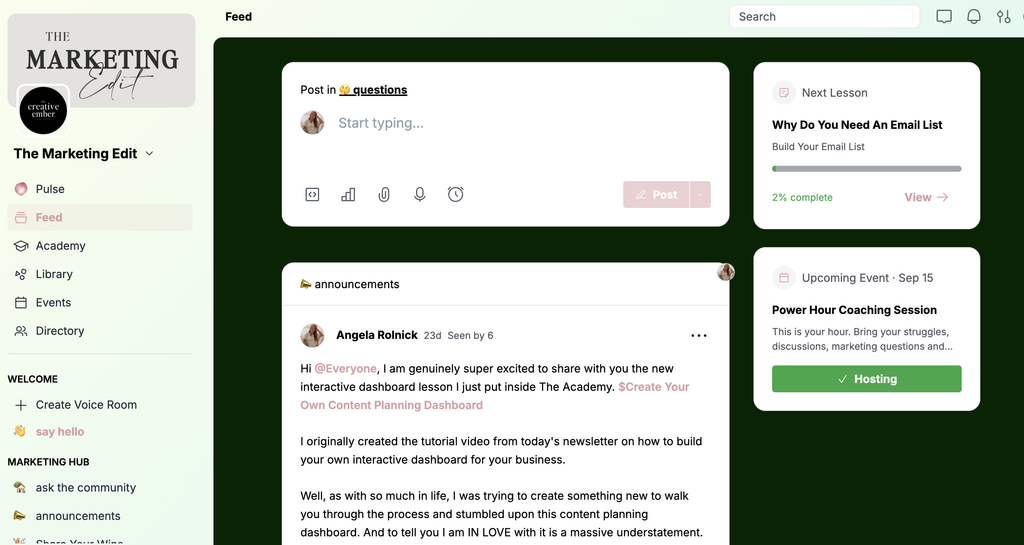
Heartbeat is where The Marketing Edit lives, and it is the piece of my stack people ask about most.
It combines courses and community in one place, which is exactly what a membership needs. Members log in and find the trainings, the resource vault, the discussion threads, and the live event calendar all together. No hunting through a Facebook group for a link someone posted six weeks ago.
The student experience feels clean and intentional, which matters more than most people realize. If your paid community feels harder to use than free content, people leave.
Your platform is part of the product. If joining feels confusing, the content will not save it.
Design: Canva
Canva handles every graphic I make that is not a website. Social posts, lead magnets, workbooks, slide decks, client mockups, Pinterest pins.
I keep brand kits set up so my colors, fonts, and logos are one click away, and I build templates for anything I make more than twice. That single habit has probably saved me hundreds of hours.
You do not need Adobe. You do not need a design degree. You need a tool that lets you make something on brand in fifteen minutes so you can get back to actual client work.
Project Management: Notion
I keep my Notion really simple, and that is on purpose.
I have a social media content calendar and an ideas board. When I sit down to create content, I pull up that board and everything is already there. Links I saved, articles I wanted to reference, topics I wanted to write about. No staring at a blank screen wondering what I was excited about three weeks ago.
I also have boards for client projects, with checklists and to-do lists. That is where my VA and I work together. She can drop projects in, leave notes, and see what is coming without either of us digging through email threads to figure out where something stands.
Project management tools are deeply personal, and I want to be honest. Notion is the tool people most often overbuild. I have watched business owners spend a whole weekend on a gorgeous dashboard they never opened again.
Start with one page: what you are working on and what is next. Add complexity only when the simple version stops working.
AI Assistant: ChatGPT and Claude
I use AI daily, and not for the reason most people assume.
Most people think AI means “write me an Instagram caption.” That is the smallest possible use of it, and honestly the least interesting.
Here is what I actually use it for on a normal week:
- Deep research on trending content topics, so I am not losing three hours to doom scrolling for ideas
- Running research in the background on one project while I work on something else, because I am the queen of multitasking
- Analyzing numbers in my business instead of pulling every report by hand
- Cleaning out my inbox
- Turning a messy brain dump into something organized I can act on
- Building dashboards
- Pulling recipes off Instagram for meal prep, because my business is not the only thing I am running
The mistake is treating it like a vending machine. You put in “write me a caption” and get back something generic that sounds like everyone else. It gets useful when you feed it your voice, your audience, and your real context.
I do not use AI to think for me. I use it to buy back time so I can go do the parts only I can do.
The Honest Take on Building Your Tech Stack
You do not need all seven of these on day one. Please do not go sign up for all seven.
Here is the order I would build in:
- Website first. You need somewhere to send people that works while you sleep.
- Email second. Social platforms change constantly. Your list is the only audience you own.
- CRM third. Add it when your inquiry process starts to feel messy, not before.
- Design tool alongside all of it. Canva is free to start and you will use it immediately.
- Project management when things start slipping. If nothing is falling through the cracks, you do not need it yet.
- Course or community platform last. Add it when you have something to put in it.
The right creative business tech stack is the one that matches where your business is right now, not where you hope it will be in three years. Building the whole system before you need it is just an expensive way to procrastinate on selling.
Common Questions About a Creative Business Tech Stack
What is a creative business tech stack?
It is the set of tools and platforms you use to run your business: your website, email marketing, client management, design, and project tracking. The goal is a small group of tools that work together without overlapping or creating extra manual work.
What tools do I actually need to start a service business?
Three things. A website, an email marketing platform, and a way to send contracts and collect payment. Everything else can wait until a real need shows up. Most people add tools far earlier than they need them.
Is Showit good for beginners?
Yes, especially if design matters to your business. The drag-and-drop editor means you do not need to code, and the separate mobile layout means your site looks right on every device. Starting from a template makes the learning curve much shorter.
How much should I expect to spend on tools?
Most of these have free or entry-level plans, and a lean starting stack usually runs under $100 a month. Add paid tiers as they earn their place, not because a feature list looks impressive.
The Bottom Line
If you came here with twelve tabs open and a growing sense that you are doing this wrong, here is the actual takeaway.
You are not missing a secret tool. You are probably one or two good decisions away from a setup that runs quietly in the background so you can go do the work you actually started this business to do.
Pick the website. Pick the email platform. Get those two working. Add the rest when your business tells you it is time, and not one minute sooner.
Progress over perfection, always.
What to Do Next
If the website piece is still sitting on your to-do list, that is the place to start. My Website In A Week gets your site designed, built, and live without dragging it out for three months.
And if you want help building the whole system around it, the strategy, the emails, the content, and the follow-through, come join us inside The Marketing Edit. It is where I teach the parts that come after the website goes live.
SHARE THIS POst
Leave a Reply
The beginner's checklist for building a list from zero.
no 02. | DOWNLOAD
Your Starter Guide To Building An Email List.
Download now
An interactive roadmap for showing up when people ask AI for a recommendation.
no 03. | Interactive roadmap
Get AI to Recommend Your Business
let's get started
Exactly what to ask clients so you get testimonials worth putting on your website.
no 01. | download
The Testimonial Blueprint
Download Now